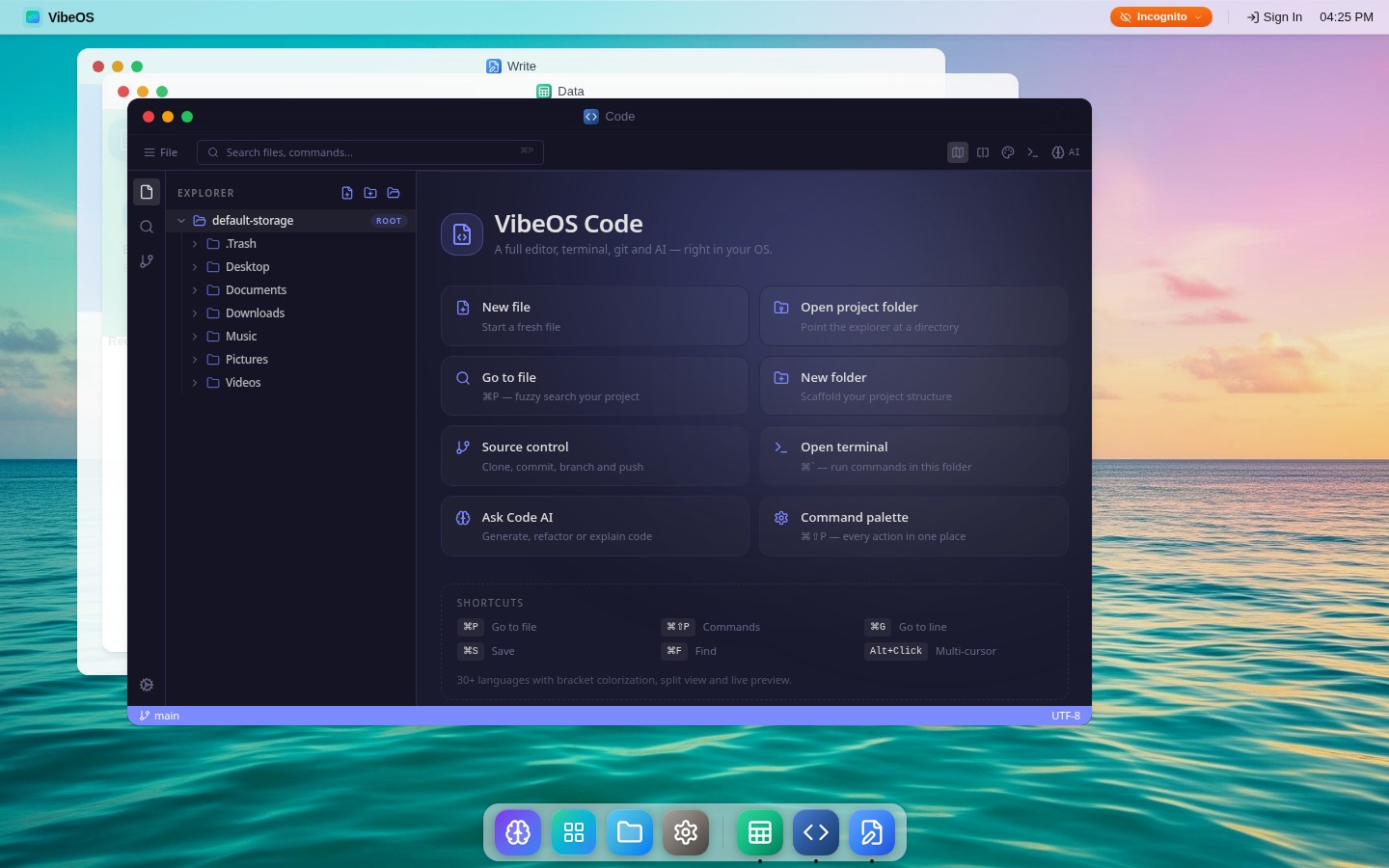
Web Operating System
VibeOS
An AI-native workspace with apps, files, and tools in one Web Operating System.
Next generation web operating system.
Built for people on the go who demand security, accessibility, and a true desktop experience — all from a browser tab. No downloads. No installs. Just open and go.
An operating system emulator — kernel, virtual filesystem, and apps — all running in a secure sandbox, in your browser tab, connected over secure channels to VibeOS Cloud for orchestration, intelligence, and persistent volumes.
Windowed apps · Dock · Menubar
16+ built-in apps
Window mgr · Event bus · Scheduler
postMessage broker
POSIX-like tree · Mounts · ACLs
/Users · /Apps · /Volumes
Native AI intelligence
Cloud-native filesystem
Encrypted data at rest
VibeOS is designed to run on all common devices, platforms and architectures, on a web browser in any operating system — laptops, tablets, and phones, on Windows, macOS, Linux, iOS, and ChromeOS.
Runs identically on Windows, macOS, Linux, and ChromeOS.
Seamlessly switch between laptop, tablet, and phone.
Your host operating system doesn't matter. VibeOS runs on top of any OS.
Code, design, listen to music, mix tracks, manage files, and more — all pre-loaded and ready to go.
AI-powered help
A context-aware AI that knows your files, your apps, and your workflow. Ask it anything — it doesn't just answer questions, it takes action.
Your smartest coworker just clocked in.
This IS the AI feature. Ask it to draft an email, analyze a spreadsheet, debug your code, or explain a PDF. It does it all.
Build custom VibeOS apps or find the perfect app for you in our App Center.
Sync your files to VibeOS Cloud and access them anywhere. Manage multiple VibeOS instances on the go — your workspace is always within reach, no matter the device.

From intelligent workspaces and developer tools to immersive worlds and connected data — explore what we're building in the lab.
Web Operating System
An AI-native workspace with apps, files, and tools in one Web Operating System.
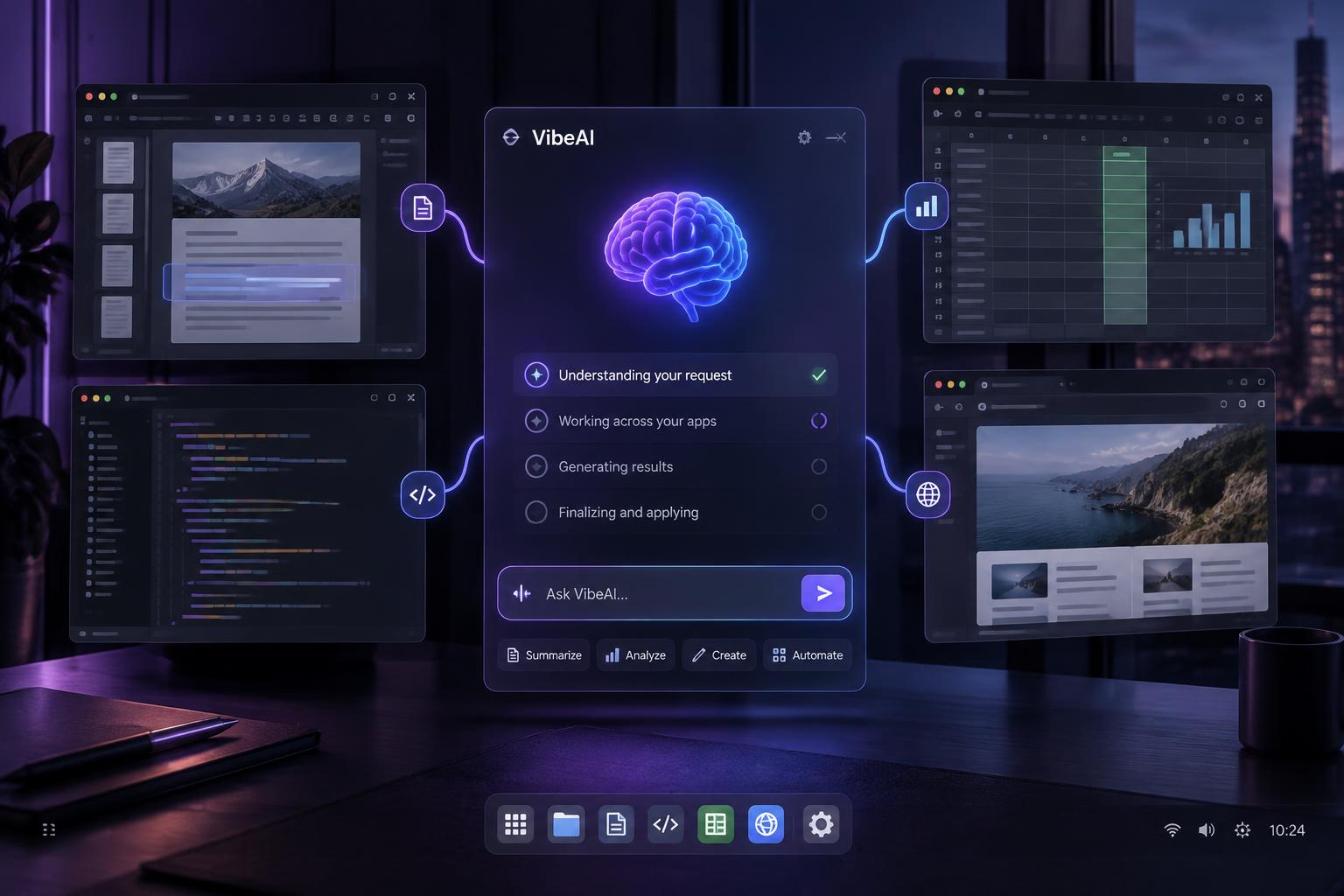
AI Integration
An OS-level assistant that turns prompts into validated actions across applications.
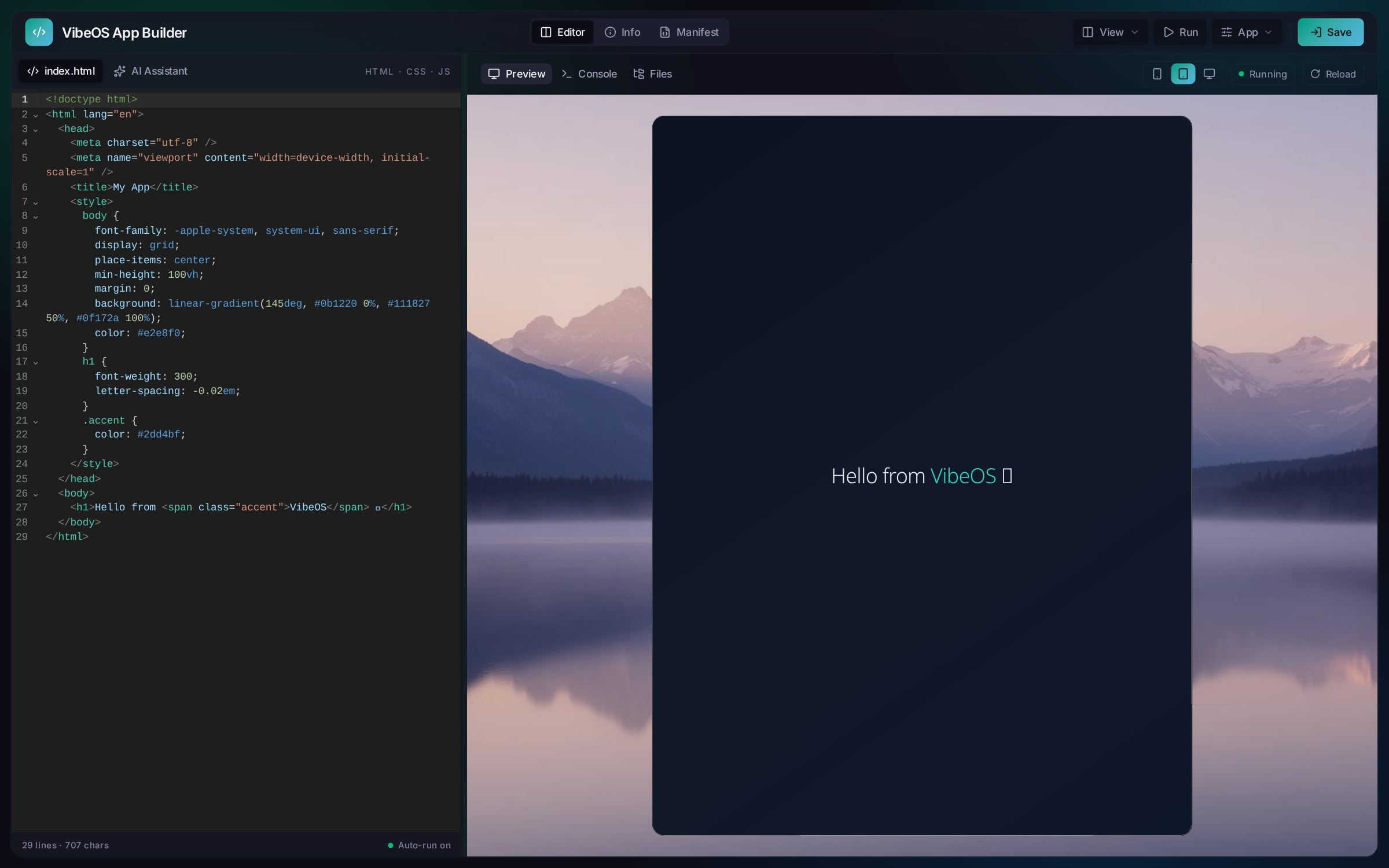
Developer Platform
A home for building, previewing, and publishing apps for VibeOS.

Spatial Computing
Purpose-built immersive environments and experiences delivered through WebXR.

Connected Intelligence
Visual data pipelines and AI-assisted analysis across databases, spreadsheets, and files.

Agentic Finance
Autonomous AI agents that research markets and execute trades under supervised risk controls.
We're a tiny independent team building a whole Web Operating System. If VibeOS makes your day a little better, consider chipping in — every contribution keeps the platform free and evolving.